πŸ‡°πŸ‡· ν•œκ΅­μ–΄ Β· πŸ‡ΊπŸ‡Έ English

Step-by-step guide

Step account-002

{manual.account.notifications.goal}

Estimated time: 3~4min Β· Last updated: 2026-03-22

How to

{manual.account.notifications.when1}

Starting state: {manual.account.notifications.precondition1}

  1. {manual.account.notifications.step1}
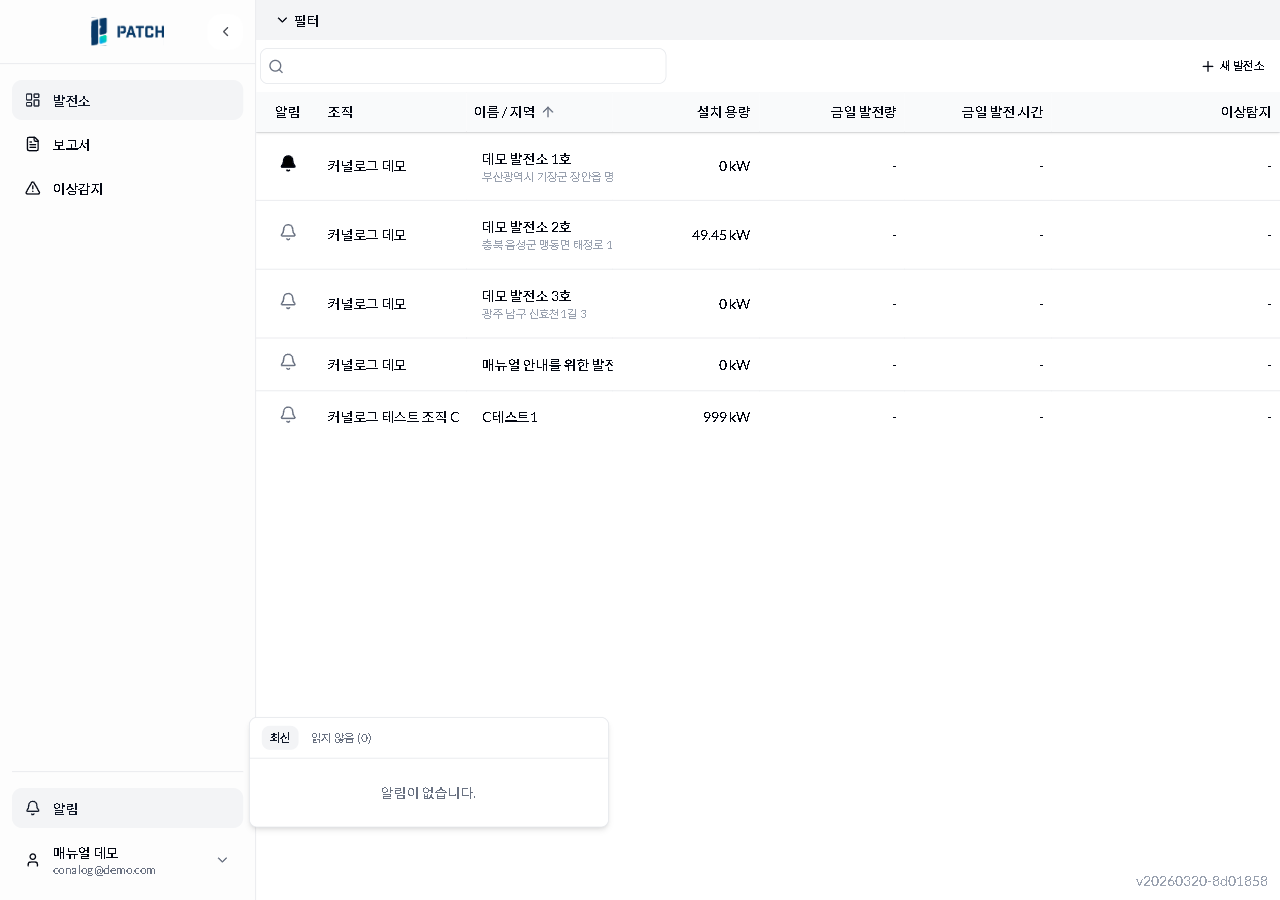
  2. {manual.account.notifications.step2}
  3. {manual.account.notifications.step3}

Expected result

{manual.account.notifications.expected}

If it does not work

  • {manual.account.notifications.troubleshoot1}

Step-by-step screenshots

Follow the red-numbered hotspots in the images below alongside the steps above.

1. {manual.account.notifications.step1}

μ•Œλ¦Ό νŒ¨λ„
1
μ•Œλ¦Ό νŒ¨λ„

Notification panel β€” Latest/Unread(0) tabs visible, showing 'No notifications' message in empty state

  • Notification button β€” click to open the notification panel

2. {manual.account.notifications.step2}

μ•Œλ¦Ό νŒ¨λ„
2
μ•Œλ¦Ό νŒ¨λ„

Notification panel β€” Latest/Unread(0) tabs visible, showing 'No notifications' message in empty state

  • Latest / Unread tabs β€” Latest shows all, Unread shows only unread notifications

3. {manual.account.notifications.step3}

No screenshot linked to this step yet.