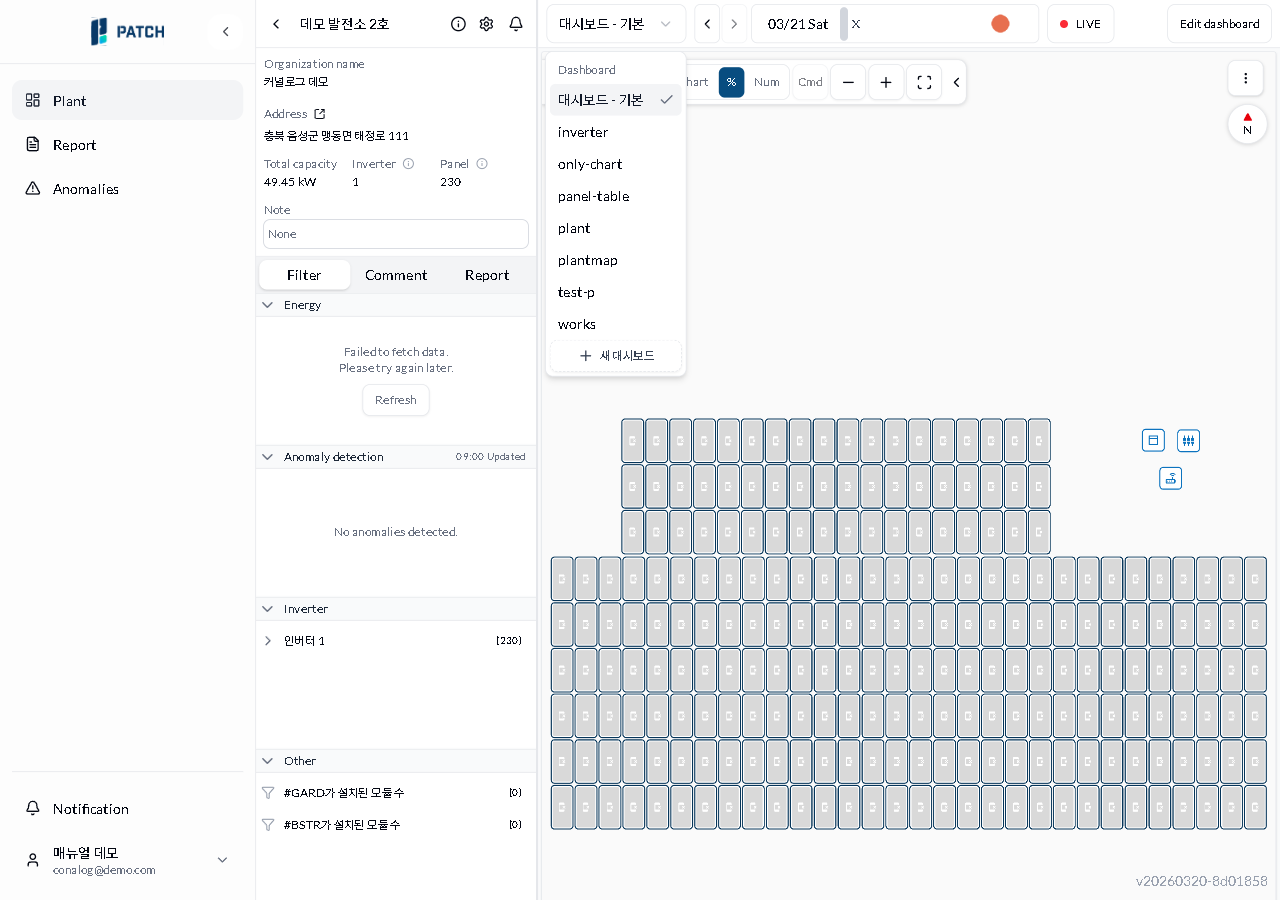
Switch the dashboard type to view the plant from a different perspective.
Estimated time: 2~3min · Last updated: 2026-03-21
How to
When you want a different dashboard layout such as per-inverter, panel table, or Plant Map
Starting state: You are logged in to PATCH, The dashboard screen is open
Click the dashboard name combo at the top. A list of available dashboard types appears.
Each dashboard type shows different widget combinations. Default=panel blocks+chart, inverter=per-inverter power+energy charts, only-chart=3 stacked charts (power/current/voltage), panel-table=5-min panel data table, plant=daily+monthly generation charts, plantmap=full layout map. You can also create a new dashboard.
Expected result
The screen changes to the selected layout and the combo displays the chosen type name.
If it does not work
If the dropdown does not appear, click the combo area again.
If the screen does not change after selecting, refresh the browser (F5).
Step-by-step screenshots
Follow the red-numbered hotspots in the images below alongside the steps above.
1. Click the dashboard name combo at the top. A list of available dashboard types appears.
1
대시보드 종류 드롭다운
Dashboard type dropdown — list of available dashboard types expanded
Dashboard type dropdown — default, inverter, only-chart, panel-table, plant, plantmap, test-p, works + New Dashboard
2. Each dashboard type shows different widget combinations. Default=panel blocks+chart, inverter=per-inverter power+energy charts, only-chart=3 stacked charts (power/current/voltage), panel-table=5-min panel data table, plant=daily+monthly generation charts, plantmap=full layout map. You can also create a new dashboard.