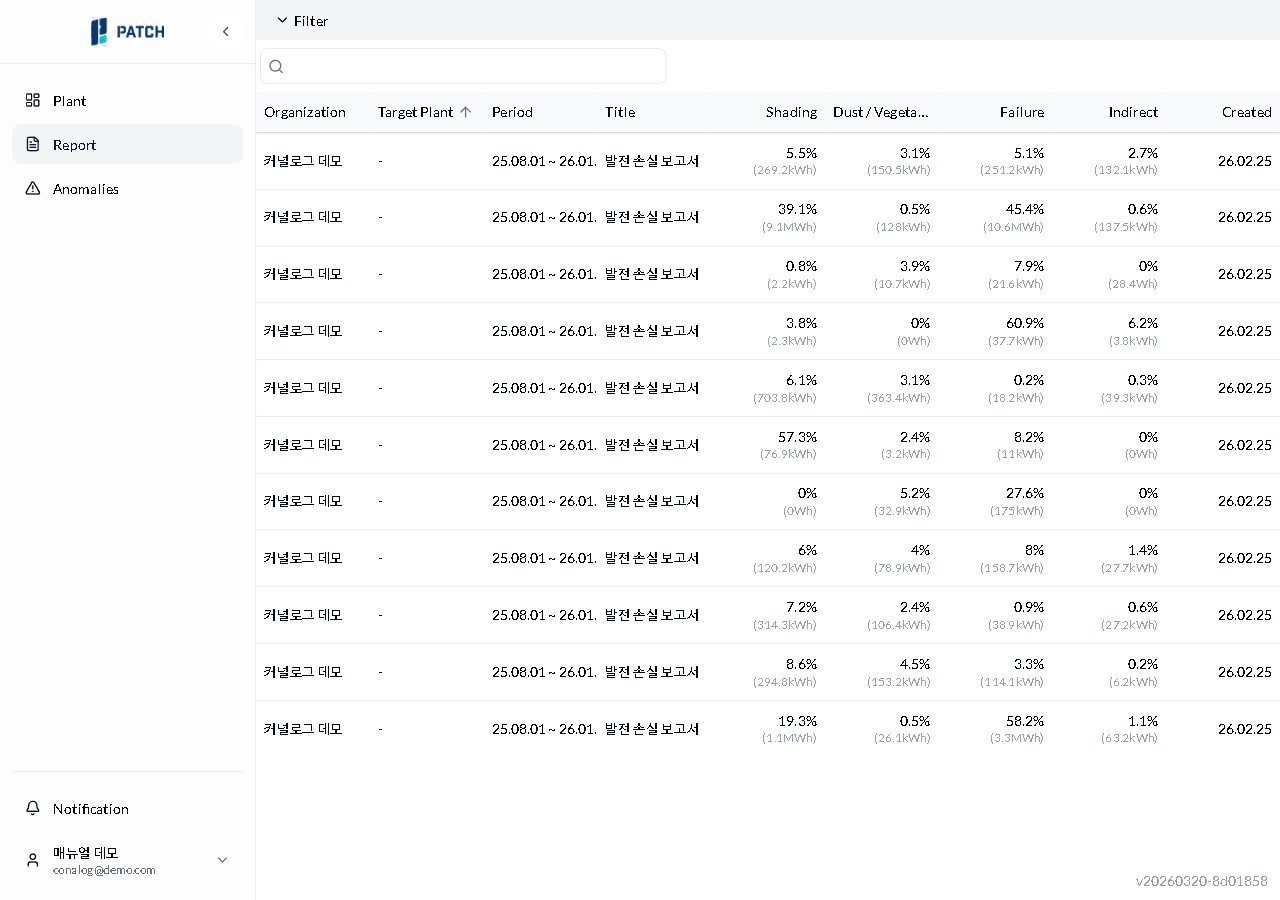
Find the report you need using filters and search in the report list, then open the detail view.
Estimated time: 3~4min · Last updated: 2026-03-21
How to
When you want to find reports for a specific organization or plant
Starting state: You are logged in to PATCH, You have clicked Reports in the left menu and the report list is open
Click Filter to select an organization, or enter a keyword in the search bar. All 9 column headers are sortable: Organization, Target Plant, Period, Title, Shading, Dust/Vegetation, Failure, Indirect, and Created.
Type part of a plant name or report title into the search bar. The list filters automatically, showing only reports that contain the keyword.
Click the report row you want. The report detail view opens.
Expected result
Applying a filter shows only that organization's reports. Entering a keyword narrows the list to matching reports. Clicking a row opens the detail view.
If it does not work
If no organizations appear when you expand the filter, your account may lack permissions. Contact an administrator.
If the list does not change after entering a keyword, clear the search bar and type again.
Step-by-step screenshots
Follow the red-numbered hotspots in the images below alongside the steps above.
1. Click Filter to select an organization, or enter a keyword in the search bar. All 9 column headers are sortable: Organization, Target Plant, Period, Title, Shading, Dust/Vegetation, Failure, Indirect, and Created.
1
보고서 목록
Report list — filter, search bar, and 11 generation loss reports displayed
Filter and search area — click filter to expand organization selection, type a keyword in search bar to narrow the list
2. Type part of a plant name or report title into the search bar. The list filters automatically, showing only reports that contain the keyword.
No screenshot linked to this step yet.
3. Click the report row you want. The report detail view opens.
3
보고서 목록
Report list — filter, search bar, and 11 generation loss reports displayed
First report row — click to navigate to that report's detail view